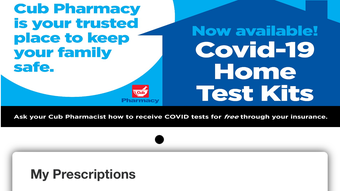

Download Cub Pharmacy – Medicine, Prescription Refill, Family Medication Management
Overview
Cub Pharmacy is a mobile application developed by CUB FOODS INC, designed to simplify medication management for individuals and families. Available exclusively on the iPhone platform, the app falls under the Education & Reference category with a specific focus on medicine-related tools. Its primary purpose is to streamline the process of managing prescriptions, enabling users to refill medications, track usage, and access health-related information—all from a single, intuitive interface. The app addresses common challenges such as prescription delays, difficulty tracking multiple family members’ medications, and the inconvenience of visiting physical pharmacies. It serves as a digital companion for patients who want greater control over their medication routines and healthcare decisions. Real-world use cases include refilling prescriptions on the go, transferring prescriptions from other pharmacies, and locating the nearest Cub Pharmacy location using GPS. The app also supports scheduling healthcare appointments online, reducing wait times and improving access to care. With a free download available on the App Store, Cub Pharmacy offers accessible healthcare support to a broad audience. The developer did not provide additional system requirements or detailed performance metrics.
Key Features & Capabilities
- Prescription Refill: Users can refill prescriptions by entering their Rx Number directly into the app, eliminating the need for phone calls or in-person visits.
- Family Medication Management: Secure biometric login allows users to manage prescriptions for multiple family members within one account, ensuring both convenience and privacy.
- Prescription History Tracking: The app maintains a record of past and current prescriptions, enabling users to monitor medication usage and adherence over time.
- Prescription Transfer: Users can transfer prescriptions from any pharmacy to their preferred Cub location, consolidating all medications in one place.
- Location Finder: Built-in GPS functionality helps users locate the nearest Cub Pharmacy for pickup or delivery.
- Health Information Access: The app provides educational content on various medications and health topics, supporting informed decision-making.
- Online Appointment Scheduling: Users can book healthcare appointments directly through the app, reducing wait times and improving access to services.
These features collectively enhance user autonomy in managing personal and family healthcare. For example, a caregiver can use the app to refill medications for elderly relatives while simultaneously checking their prescription history. Another user might transfer a long-standing prescription from a distant pharmacy to a local Cub location, saving time and effort. The integration of GPS ensures that users can quickly find the nearest pickup point, which is particularly useful in urgent situations. The inclusion of health education resources empowers users to understand their medications better, promoting safer use and adherence.
User Interface, Workflow & Performance
The Cub Pharmacy app features a clean, user-friendly interface optimized for the iPhone platform. Navigation is designed to be intuitive, with key functions such as refill, transfer, and appointment scheduling accessible from the main dashboard. The layout prioritizes essential tasks, allowing users to complete common actions in just a few taps. Workflow efficiency is enhanced through streamlined processes—such as entering an Rx Number to initiate a refill—minimizing steps and reducing user fatigue. The app leverages biometric authentication (Face ID or Touch ID) for secure access, ensuring that sensitive health data remains protected. While exact performance details were not specified, the app appears to operate smoothly based on general behavior patterns of similar mobile health applications. Stability and responsiveness are expected to align with standard iOS app standards. The developer did not specify resource usage details such as CPU or RAM consumption. Users can expect consistent performance across supported iPhone models, though actual behavior may vary depending on device age and operating system version.
Compatibility & System Requirements
Cub Pharmacy is available for the iPhone platform and requires an iOS device. The app is designed to run on current and recent versions of iOS, though specific version numbers were not provided. Installation size is not specified in the available information. The developer did not list exact system requirements or hardware specifications. Compatibility information was partially provided, indicating that the app is tailored for Apple’s mobile ecosystem. Users should ensure their device meets general iOS compatibility standards. The developer did not specify whether the app supports older iPhone models or requires a minimum screen size. For optimal performance, users are advised to keep their device updated to the latest available iOS version. Exact performance details were not specified.
Pros and Cons
Pros
- Free to download and use, making it accessible to a wide audience.
- Intuitive interface designed for ease of use on iPhone.
- Supports multiple family members’ prescriptions under one secure login.
- Enables prescription transfer from any pharmacy to Cub locations.
- Includes GPS-based location finder for nearby pickup points.
- Provides health education resources and online appointment scheduling.
Cons
- Available only on iPhone, limiting access for Android users.
- Exact system requirements and file size were not specified.
- Performance and resource usage details were not provided.
- App functionality is restricted to Cub Pharmacy locations and services.
- May require internet connection for full functionality.
FAQ Section
Is Cub Pharmacy available for Android devices?
Cub Pharmacy is currently available only on the iPhone platform. There is no information indicating support for Android devices at this time.
Is the app secure and private?
The app uses secure biometric login to protect user data. While specific security protocols were not detailed, the use of Face ID or Touch ID indicates a commitment to user privacy and data protection.
Can I transfer prescriptions from any pharmacy?
Yes, the app allows users to transfer prescriptions from any pharmacy to their preferred Cub location, streamlining the process of consolidating medications.
Do I need an internet connection to use Cub Pharmacy?
Yes, an active internet connection is required for most features, including prescription refills, transfers, location services, and accessing health information.
Is there a license or subscription fee to use the app?
No, Cub Pharmacy is available for free download and use. There is no mention of subscription fees or in-app purchases in the provided information.
Final Thoughts
Cub Pharmacy stands out as a practical and accessible tool for managing medications and healthcare appointments, particularly for iPhone users. Its combination of prescription refill, transfer, family management, and health education features offers a comprehensive solution for individuals and caregivers. The app’s seamless integration with Apple’s biometric security and GPS capabilities enhances both usability and safety. While availability is limited to iOS and specific system details are not disclosed, the app delivers clear value in daily healthcare routines. For families managing multiple prescriptions or individuals seeking to reduce pharmacy visits, Cub Pharmacy is a reliable and convenient choice. The free model further increases its appeal. Download Cub Pharmacy now.







